Over time, your hard drive will become fragmented, which can slow your computer down. Most systems will automatically defragment your hard drive regularly (once a week by default), but if you need to do it manually, you can do so by following these steps:
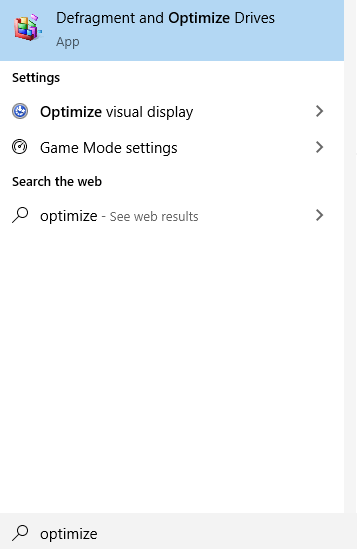
- Click the Start Menu, type “optimize”, and click the “Defragment and Optimize Drives” option that appears.
- Select your hard drive and click “analyze.”
- If the drive is fragmented, click the “optimize” button to defragment it.
- The process will take a while — Once it’s done, the drive should say it is 0% fragmented, and you will be finished.
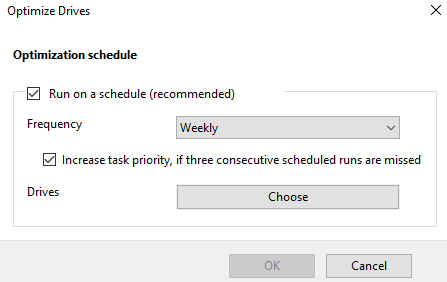
- You can select “Change settings” if you would like to change the frequency that your hard drive is automatically defragmented.

 The Network Custodian